
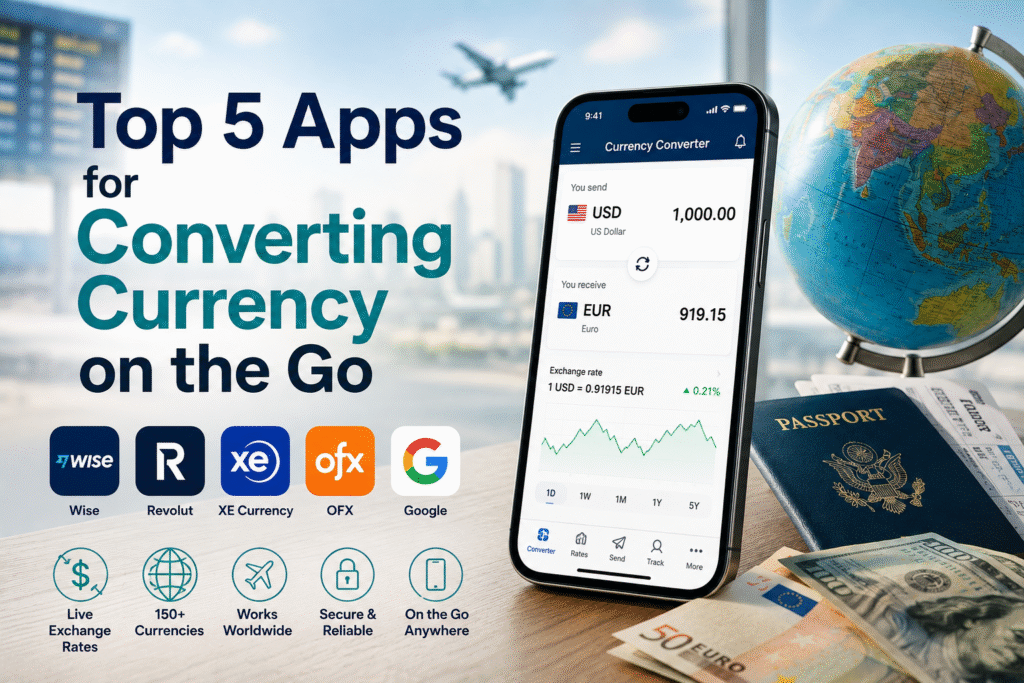
Whether you’re standing in a foreign market trying to figure out if that price is a bargain, checking your freelance payment in another currency, or about to make an international transfer – having the right currency app on your phone makes all the difference. But not all currency apps are created equal. Some show outdated rates. Others hide their real purpose: nudging you toward expensive exchange services.
Here are the 5 best currency converter apps available right now – what they’re great at, where they fall short, and which one is right for your situation.
What Makes a Great Currency App?
Before diving in, here’s what separates a genuinely useful currency app from a mediocre one:
- Live rates – updated in real time or near real time, not once a day
- Mid-market rates – the real exchange rate, not a marked-up version
- Offline access – crucial when you’re traveling without data
- Wide currency coverage – not just the major 10, but 150+ currencies for global travelers
- Clean, fast interface – you need the answer in seconds, not after navigating menus
- No hidden upsells – some apps exist primarily to funnel you toward expensive exchange services
With that in mind, here are the top 5.
1. Wise – Best All-Around App for Real Rates + Actual Transfers
Wise (formerly TransferWise) is the gold standard for anyone who not only wants to check exchange rates but actually move money internationally at those rates.
What it does well:
- Shows the real mid-market exchange rate – the same one you see on Google
- Lets you convert and transfer money at that rate, with a small transparent fee
- Holds 50+ currencies in one multi-currency account
- Includes a debit card (Wise card) you can use to spend in any currency at the real rate
- Tracks your transfer in real time with push notifications
Who it’s for:
Freelancers, expats, frequent international shoppers, and anyone who needs to both check and move money regularly. If you receive income in foreign currencies or regularly send money abroad, Wise is practically essential.
Limitations:
Not available in every country. The app is feature-rich, which means a slight learning curve for new users.
Available on: iOS and Android. Free to download; fees apply to transfers.
2. Revolut – Best for Multi-Currency Travel and Everyday Spending
Revolut is a financial super-app that started as a travel money card and has evolved into a full banking alternative for many users. Its currency conversion features are excellent – particularly for travelers who want real exchange rates at the point of spending.
What it does well:
- Real exchange rates on weekdays with no markup (small markup on weekends)
- Instant currency conversion between 30+ currencies within the app
- Linked debit card spends in local currency at the real rate automatically
- Instant transfers to other Revolut users worldwide – free and instantaneous
- Built-in budgeting, spending analytics, and travel insurance options
Who it’s for:
Frequent travelers, digital nomads, and people who want a card that handles currency automatically without thinking about it. Also great for friend groups splitting expenses across currencies.
Limitations:
The best features (higher fee-free ATM limits, better rates on weekends) require paid subscription tiers. Weekend exchange rates include a small markup.
Available on: iOS and Android. Free basic plan; premium plans available.
3. XE Currency – Best Pure Currency Converter App
XE has been the go-to currency converter app for over two decades – and for good reason. It does one thing exceptionally well: telling you what any currency is worth relative to any other currency, instantly and accurately.
What it does well:
- Live rates for 180+ currencies – one of the widest coverages available
- Offline mode – saves the last fetched rates for use without internet connection (invaluable when traveling)
- Currency charts showing rate history over 1 day, 1 week, 1 month, 1 year, and 5 years
- Convert multiple currencies simultaneously – see USD, EUR, GBP, JPY, AUD, and CAD all at once
- Rate alerts – get notified when a currency hits your target rate
- Clean, simple interface that’s been refined over years of use
Who it’s for:
Anyone who primarily wants a reliable, accurate currency converter without the banking features. Travelers who need offline access. People who want to track rate trends over time.
Limitations:
XE does offer money transfers, but its transfer rates are not always as competitive as Wise or OFX. The app’s primary strength is rate information, not transfer execution.
Available on: iOS and Android. Free.
4. OFX – Best for Large International Transfers
OFX is less of a casual currency checker and more of a serious money transfer platform – but its app includes solid rate-checking functionality alongside its core transfer capabilities.
What it does well:
- Highly competitive exchange rates – particularly for amounts over $1,000
- No transfer fees on qualifying amounts (making it especially strong for large transfers)
- Access to currency specialists via phone or chat – useful for complex transfers
- Forward contracts – lock in today’s exchange rate for a future transfer (powerful for businesses and property buyers)
- Rate tracking and alerts built into the app
Who it’s for:
Small business owners, property buyers, importers/exporters, and anyone sending $1,000+ internationally on a regular basis. If you’re paying foreign invoices or receiving large payments in foreign currencies, OFX is worth having.
Limitations:
Not ideal for small, frequent transfers or everyday travel spending – Wise or Revolut are better for that. Minimum transfer amounts apply.
Available on: iOS and Android. Free to download; rates and fees apply to transfers.
5. Google – Best Quick Check (But Not for Actual Exchanges)
This might surprise you, but Google deserves a spot on this list – not as a dedicated currency app, but as the fastest possible way to check a rate on the go.
Simply type “100 USD to EUR” or “convert JPY to GBP” into Google Search and you’ll instantly get a clean, accurate currency converter powered by real mid-market rates.
What it does well:
- Instant results – no app to open, no account needed
- Mid-market rate – Google uses real forex data, not marked-up rates
- Works in any browser on any device
- Handles voice searches perfectly – “Hey Google, how much is 500 dollars in yen?”
Who it’s for:
Anyone who just needs a fast, reliable rate check without opening a dedicated app. Perfect for quick price comparisons while shopping or traveling.
Limitations:
No offline access. No rate alerts. No transfer capability. No rate history. Great for a quick check – not for anything more.
Available on: Any browser, Google Assistant, Google Search app.
Side-by-Side Comparison
| App | Best For | Live Rates | Offline Mode | Transfer Capability | Cost |
|---|---|---|---|---|---|
| Wise | Transfers + rate checking | ✅ | ❌ | ✅ Excellent | Free + transfer fees |
| Revolut | Travel spending + transfers | ✅ | ❌ | ✅ Good | Free basic / paid tiers |
| XE Currency | Pure rate checking | ✅ | ✅ | ✅ Limited | Free |
| OFX | Large transfers | ✅ | ❌ | ✅ Excellent (large amounts) | Free + transfer rates |
| Quick checks | ✅ | ❌ | ❌ | Free |
Which App Should You Download First?
- If you send money internationally regularly: Download Wise – it’s the one app that handles both accurate rates and affordable transfers in one place
- If you travel frequently: Revolut + XE as a backup for offline rate checks
- If you make large business transfers: OFX – the savings on large amounts justify using a specialist
- If you just need a quick check: Google works fine for one-off lookups
Many people end up using two: Wise or Revolut for actual spending and transfers, and XE for offline rate checking when traveling.
One More Tool Worth Bookmarking
Before you exchange any currency or make an international transfer, always check the mid-market rate on our free currency converter. It’s the benchmark – any rate you’re offered should be compared against it so you know exactly what you’re getting (and what you’re giving up).
CurrencySwitchNow is not a financial advisor. App features and pricing are subject to change – always verify current terms on the respective app or website.